OrientationArticle 01 of 08
A walk-through of the agentic platform
A quick tour of the agentic platform. Where to find the agent, the prompt, the tools, and how it all wires together before you connect it to a bot.
8 min read 0:12 video
The agentic platform gives every team a single home for designing, testing, and shipping a customer-facing AI agent. This first article is the map. Each section below points to the deeper article in this course where the topic is unpacked in detail.
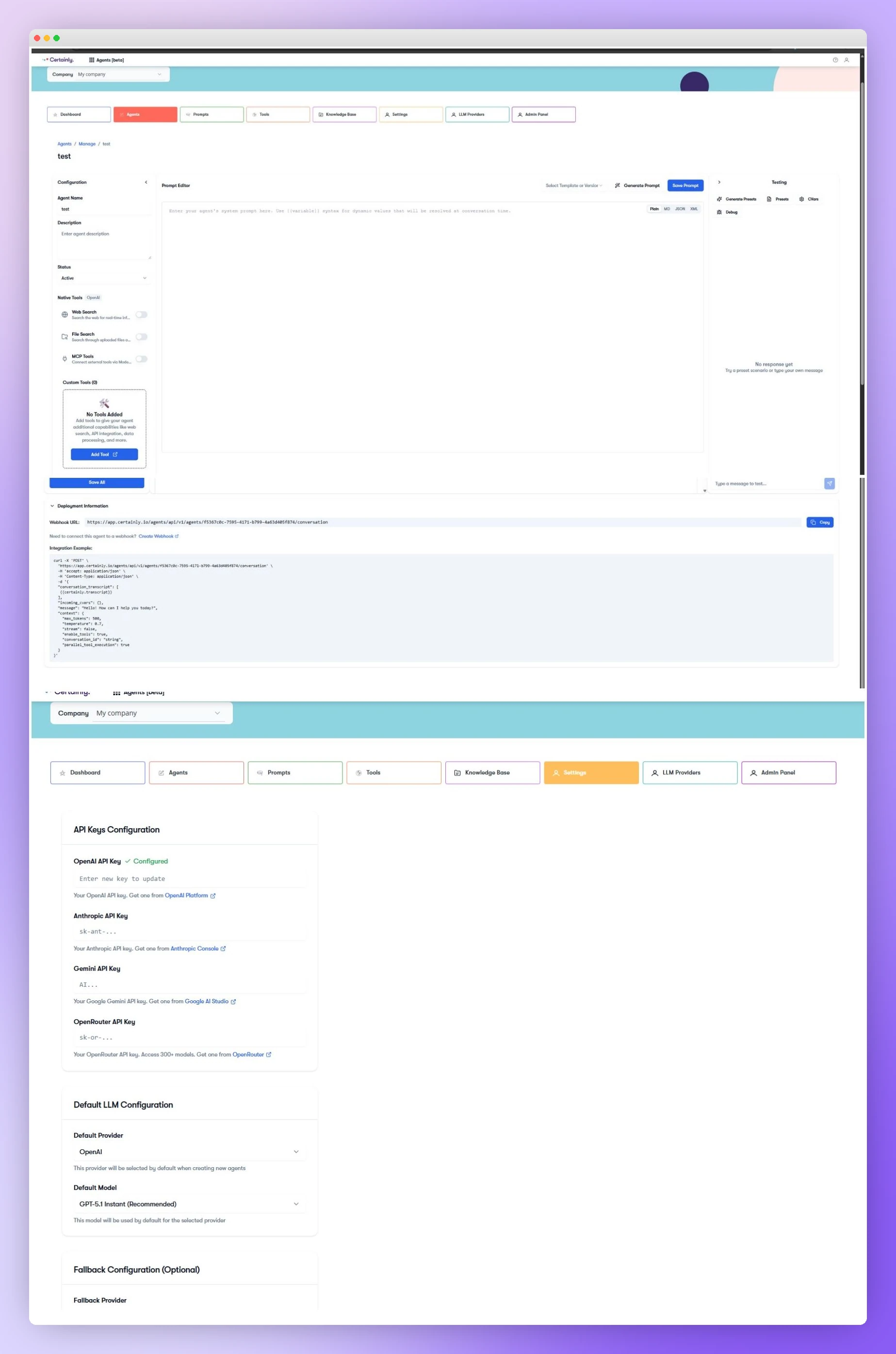
What is on the agent screen
- Configuration: name, description, status, and the tools the agent can call.
- Prompt Editor: the system prompt that tells the agent how to behave. Plain, MD, JSON, or XML.
- Testing: a sandbox to chat with the agent and inspect its decisions before it ever touches a customer.
- Deployment Information: the webhook URL and an integration example you copy into your bot.
The five things you will set up
- Write a strong system prompt (covered in detail in this article).
- Decide which tools the agent can use (article 03 and 06 and 07).
- Add a knowledge base if the agent needs source material (article 04).
- Configure your LLM providers and a fallback (article 05).
- Connect the agent to your bot through a webhook (article 02).
Connecting to your bot, in one line
When the agent is ready, copy the webhook URL from the Deployment Information panel and create a global webhook in your bot. Article 02 walks through the exact wiring, including the curl example and the cvars mapping.